A plain WorkBuddy Docker image.
1. Introduction
This is a plain Docker image of the WorkBuddy agent based on Ubuntu Linux.
You can find the image at ghcr.io/thomasweise/workbuddy_plain.
WorkBuddy normally runs in a Chrome Sandbox. However, here we put it additionally into a Docker container. So it runs in a sandbox inside a container.
This has two advantages:
- We can mount a directory into the container to share data. We also need to allow WorkBuddy to access the screen. However, apart from that, we can keep the system isolated from it. This container is particularly intended for use with rootless Docker installations. Ideally, this adds several layers of protection for people such as myself who are new to AI and who are bound to making mistakes. However, by isolating the AI agent from our system, the chance that, e.g., other data is accidentally destroyed or that the system configuration is messed up should be relatively small.
-
By putting WorkBuddy into a container, we can develop images where all the software and tools that WorkBuddy needs are installed together in a consistent image.
For example, in
workbuddy_cs, we put a computer science pipeline on top this plain installation. Without the container, we would need to install many additional tools into our productive system. With the container, the setup and maintenance should become easier.
Notice: I am totally new to using AI tools. Therefore, this is really a very very experimental setup. I cannot guarantee that it will work.
2. Run the Image
You can either run this image via the provided script or manually. Either way, the WorkBuddy login window will pop up. It would provide you with a link to copy into your browser. Then, you can authenticate/login via your browser. After that, WorkBuddy can be used.
2.1. Run it via provided Script
Under Ubuntu Linux, you can run it with script workbuddy_plain_run.sh.
If the container image is not yet downloaded to your machine, this script will automatically download it.
(If your internet connection is unstable, this may take a few attempts, because the image is not small.)
This script will take three optional parameters:
-
The directory to mount into WorkBuddy, by default
"/tmp/workbuddy". This folder will be created if it does not exist. You can point this to some folder with data in it that you want to share. The default setting just uses a temporary folder, where nothing important should be in. This directory should have reading and writing permissions for the container. The easiest way to do this is tochmod 777 directory. The files created by WorkBuddy will have read permissions for you only, so you can tell it to give all files read/write permissions for everyone. - The version of the image to run, by default
"latest" -
The mode of the image to use.
By default, this uses the image
ghcr.io/thomasweise/workbuddy_plainfrom the GitHub package repository. If you set this to"local", then you can also run a Docker image that you built locally using, e.g., the scriptsworkbuddy_plain_build.shand ourDockerfile.sh.
2.2. Run it by Hand from the Shell
Alternatively, you can run the image by hand.
Notice that in order to run the image properly, you need to first set xhost +local:docker on your system.
This is needed so that WorkBuddy can access your screen.
You would do something like
xhost +local:docker

docker run -it --rm \
  --name workbuddy \
  --network host \
  --cap-add SYS_ADMIN \
  -e DISPLAY=$DISPLAY \
  -v /tmp/.X11-unix:/tmp/.X11-unix \
  -v /path/to/folder/you/want/to/mount/into/image:/home/user/workbuddy-data \
  "ghcr.io/thomasweise/workbuddy_plain:latest"
3. Usage
After you have started the container as described above, a WorkBuddy window will pop up.
3.1. Logging In
First, you need to log in. Ideally, you have a WeChat account already, which makes this very easy:
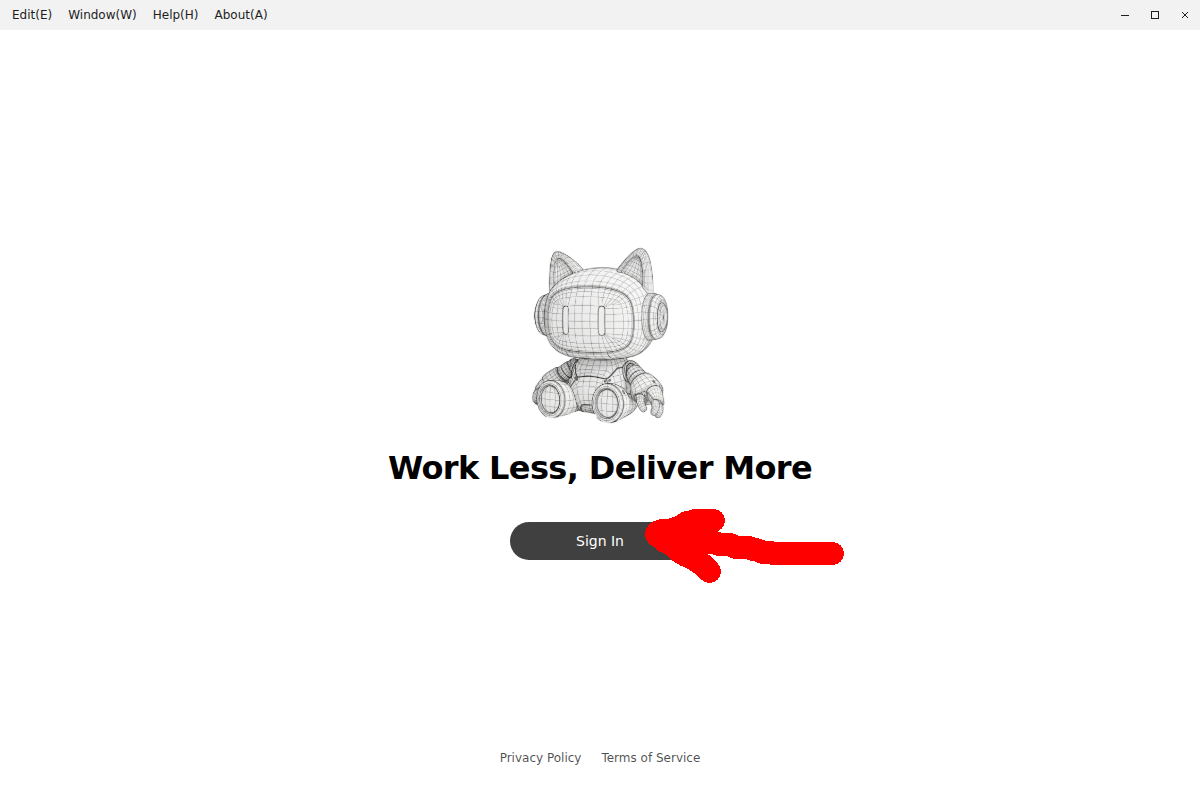
You click "Sign in" in the login screen.
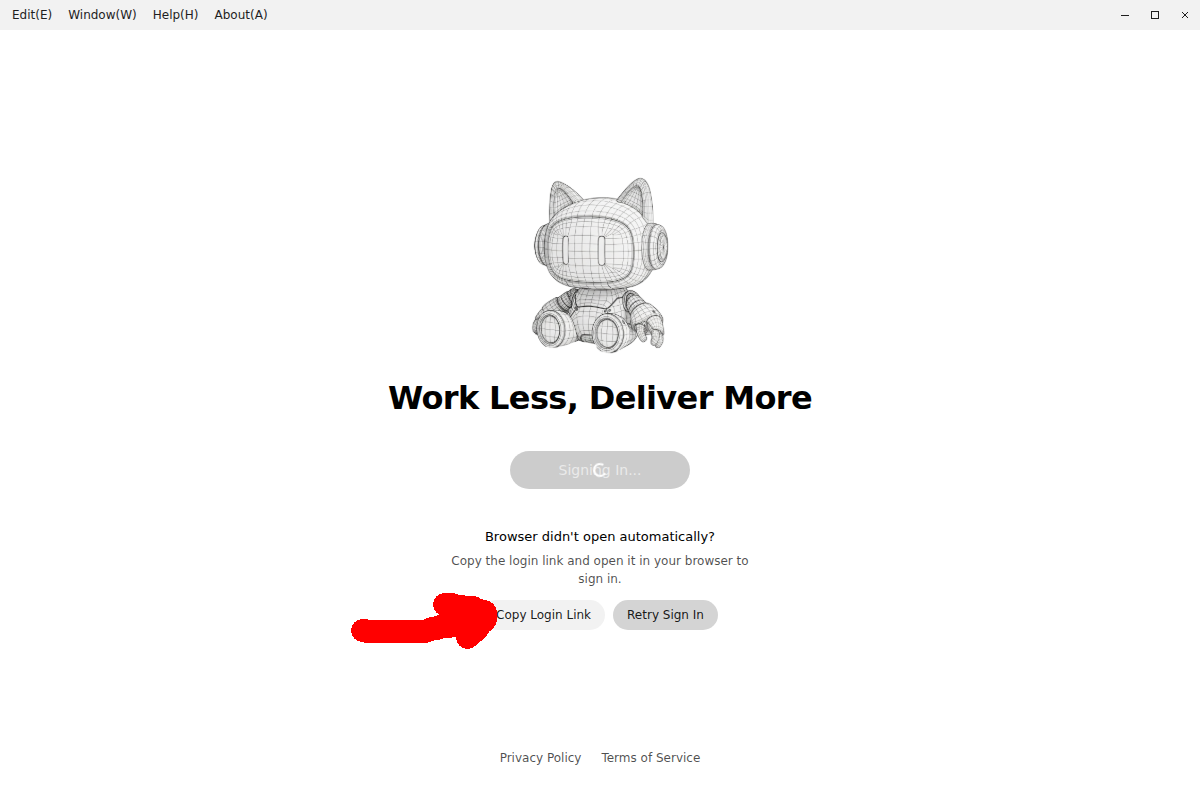
Then you can copy a login link.
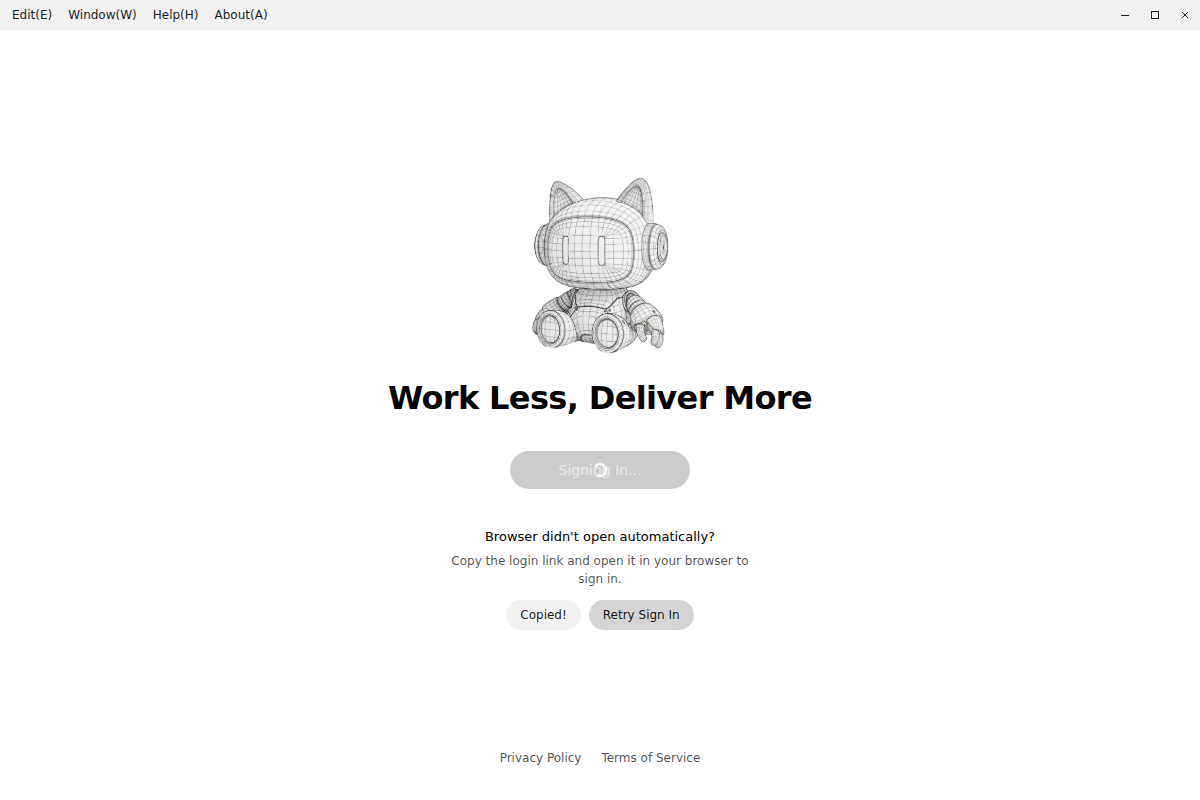
You click "Copy Login Link".
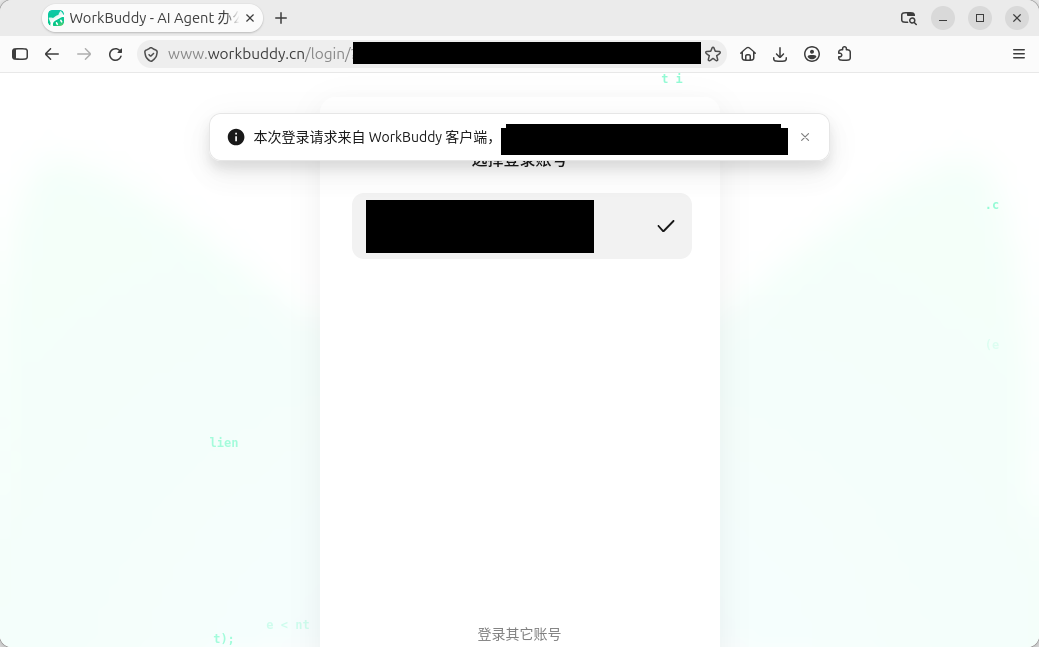
You can paste login link in your browser and follow the instructions.
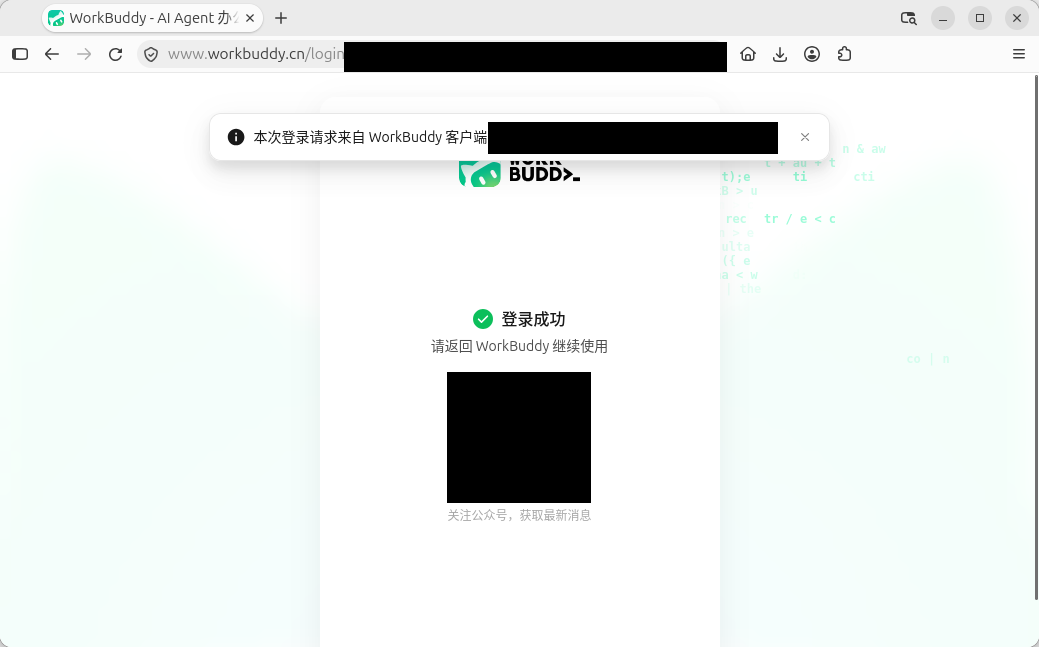
This gets you logged in.
3.2. Using WorkBuddy
Now you can now use WorkBuddy.
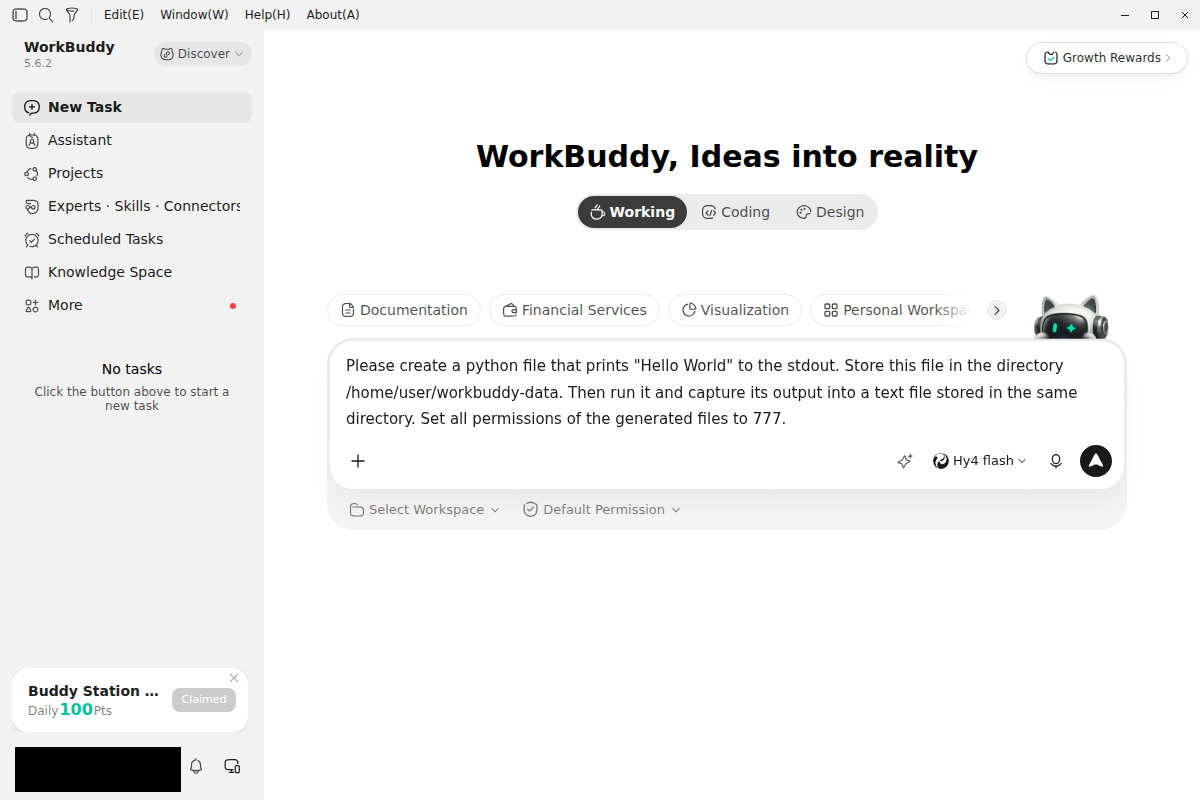
Here I instruct WorkBuddy to create a simple Python file, run it, store its output in the shared folder, and set all permissions to the generated files so that I can edit them.
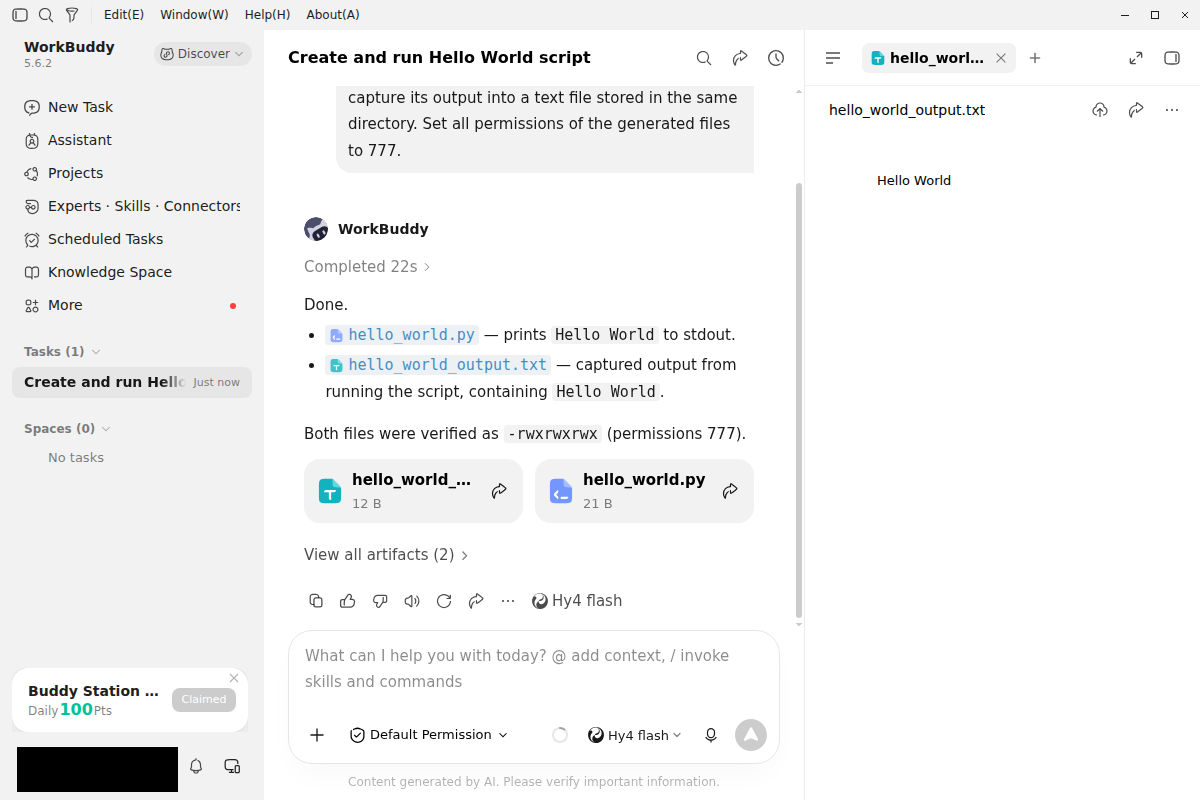
This indeed succeeds.
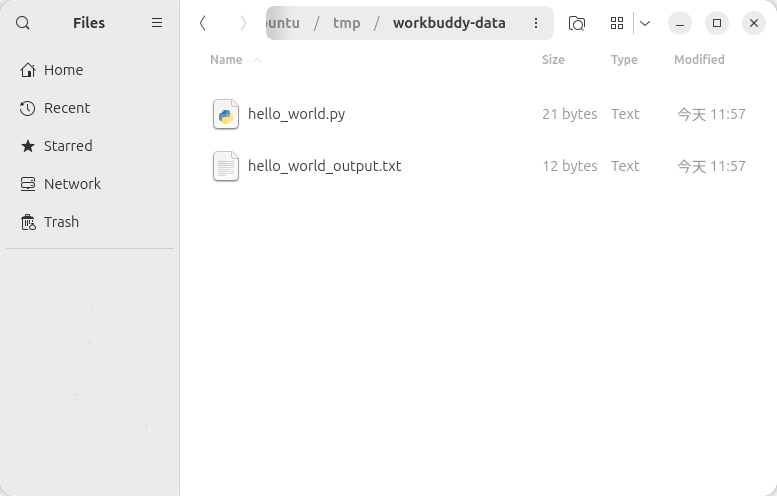
And the files appear indeed in the shared folder.
4. License
Copyright (C) 2026 Thomas Weise (汤卫思教授)
Dr. Thomas Weise (see Contact) holds the copyright of these scripts. The scripts are provided to the public as open source software under the GNU GENERAL PUBLIC LICENSE, Version 3, 29 June 2007.
This license only here applies to the scripts in this package. It obviously does NOT apply to the WorkBuddy software, Docker itself, or anything else contained in the Docker images. These are obviously under the copyright of their copyright holders.
All scripts here are free software: you can redistribute them and/or modify them under the terms of the GNU General Public License as published by the Free Software Foundation, either version 3 of the License, or (at your option) any later version. All scripts and programs here are distributed in the hope that they will be useful, but WITHOUT ANY WARRANTY; without even the implied warranty of MERCHANTABILITY or FITNESS FOR A PARTICULAR PURPOSE. See the GNU General Public License for more details. You should have received a copy of the GNU General Public License along with them. If not, see https://www.gnu.org/licenses/.
If you feel that this repository or image infringes any of your property rights, please contact me.
5. Contact
If you have any questions or suggestions, please contact Prof. Dr. Thomas Weise (汤卫思教授) of the School of Artificial Intelligence and Big Data (人工智能与大数据学院) at Hefei University (合肥大学) in Hefei, Anhui, China (中国安徽省合肥市) via email to tweise@hfuu.edu.cn with CC to tweise@ustc.edu.cn.